Your quota, coloured by pace.
Token Pace puts every quota window of Claude Code and Codex into the VS Code status bar. The bar turns yellow when you run ahead of the clock and red when the window is spent, next to your tokens, the API cost equivalent and a dashboard that explains its own colour.
Free and open source (AGPL-3.0). Requires VS Code 1.106 or newer. Reads the files Claude Code and Codex keep on your machine; the only network access is a quota poll you switch on yourself.
A 60 % bar is reassuring an hour before the reset and alarming five minutes in.
A fixed threshold cannot tell those apart. Token Pace draws the share of the window that has already elapsed as a marker on every bar and colours the bar by where the fill stands against it.
Consumption stays at or below the share of the window that has passed. Keep going.
The fill has overtaken the clock. The forecast line says when the window would run out at this rate.
The window is used up. The bar stays red until the reset and the countdown says how long that is.
A status bar entry per window, a tooltip with the whole picture, a dashboard that explains itself.
The status bar
One entry per quota window, model-scoped windows included: the pace-coloured bar with its elapsed marker, the percentage and the countdown to the reset. You decide how many appear, which kinds exist, in which order, and how much text each one gets.
- The tooltip holds the window table, a forecast line per window, the token tables for today, seven and thirty days, and a provenance line that names what was measured and what was estimated.
- When a quota fetch fails, the old figure stays and says so.

The dashboard
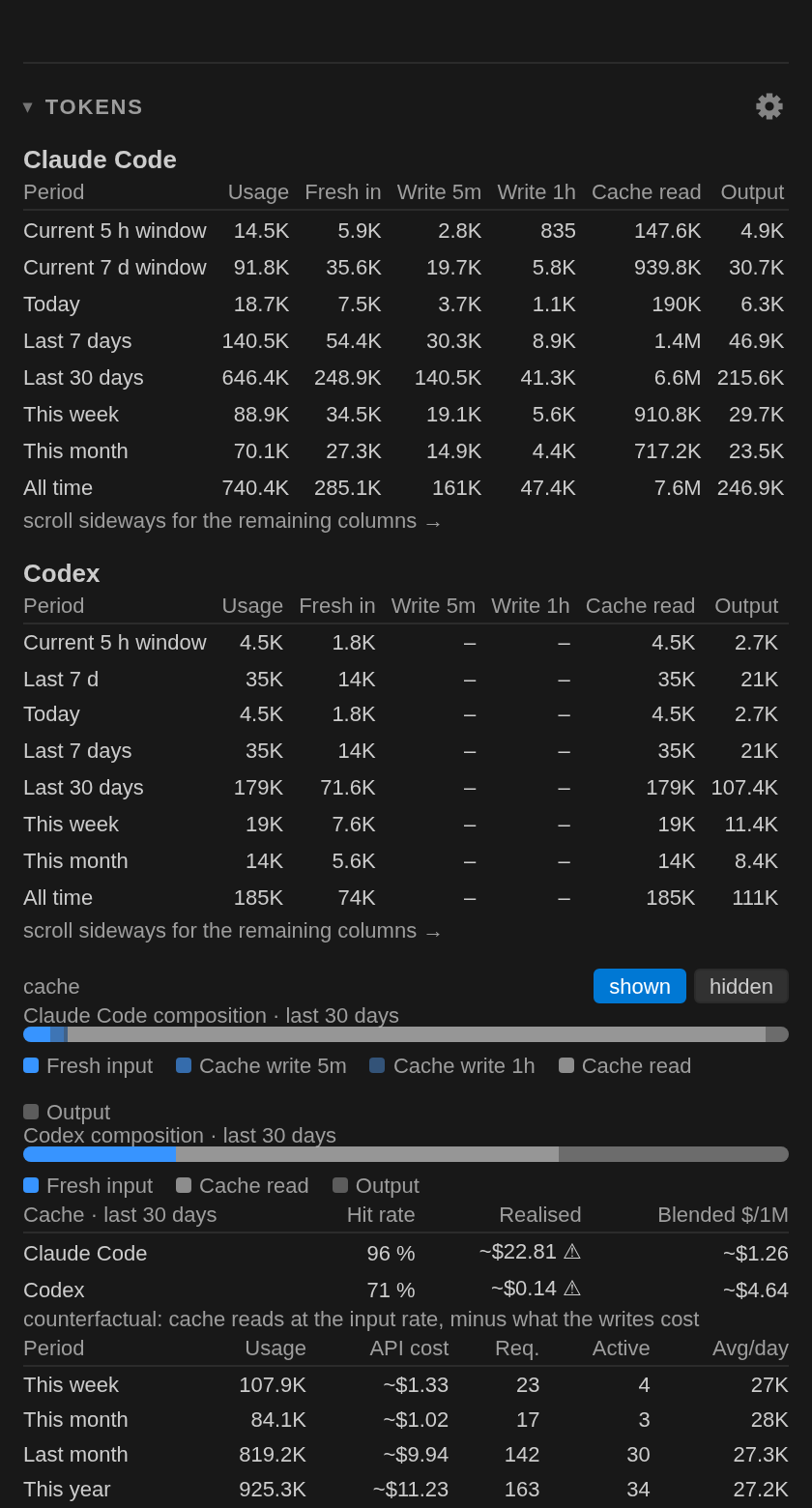
In the secondary sidebar, with a provider switch at the top: Claude Code, Codex or both. Quota cards that explain their own colour, a seven-day sparkline, the running agents as a tree, the daily chart by model with the cost line, and the fixed-period token totals.
- Your Claude Code agents as a tree: what runs now, what each one cost, which session started it.
- The same figures without a webview: a markdown report, a searchable Quick Pick, a CSV.
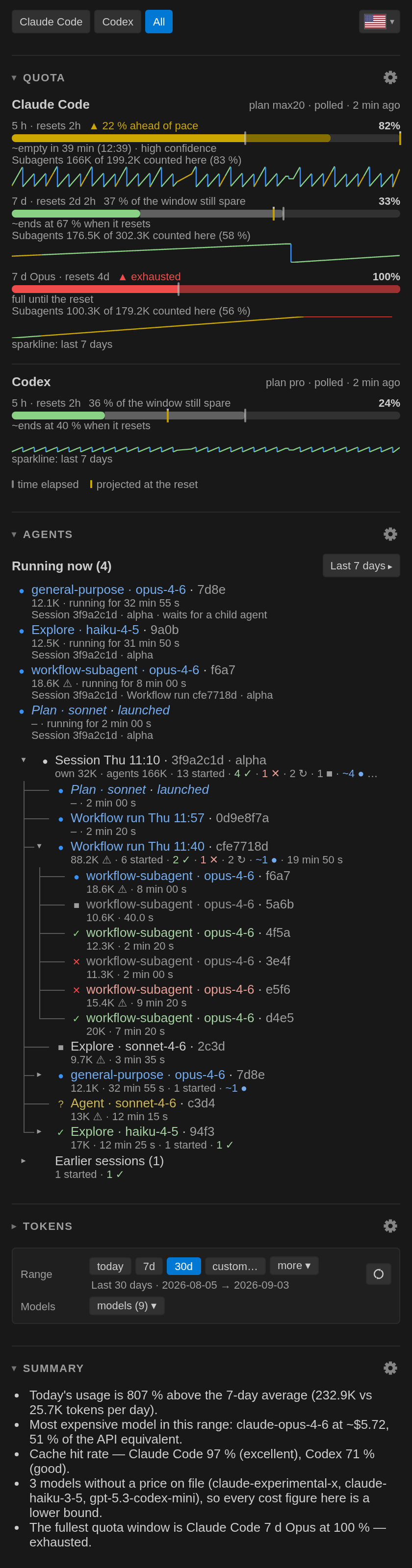
A prompt cache that says when it cools
Five minutes before a Claude Code session's one-hour cache expires, the Claude card says so and what a cold start would re-write instead of reading from the cache. Keep-warm, opt-in and off by default, can type one line into that terminal before the cache cools, after a countdown you can cancel.
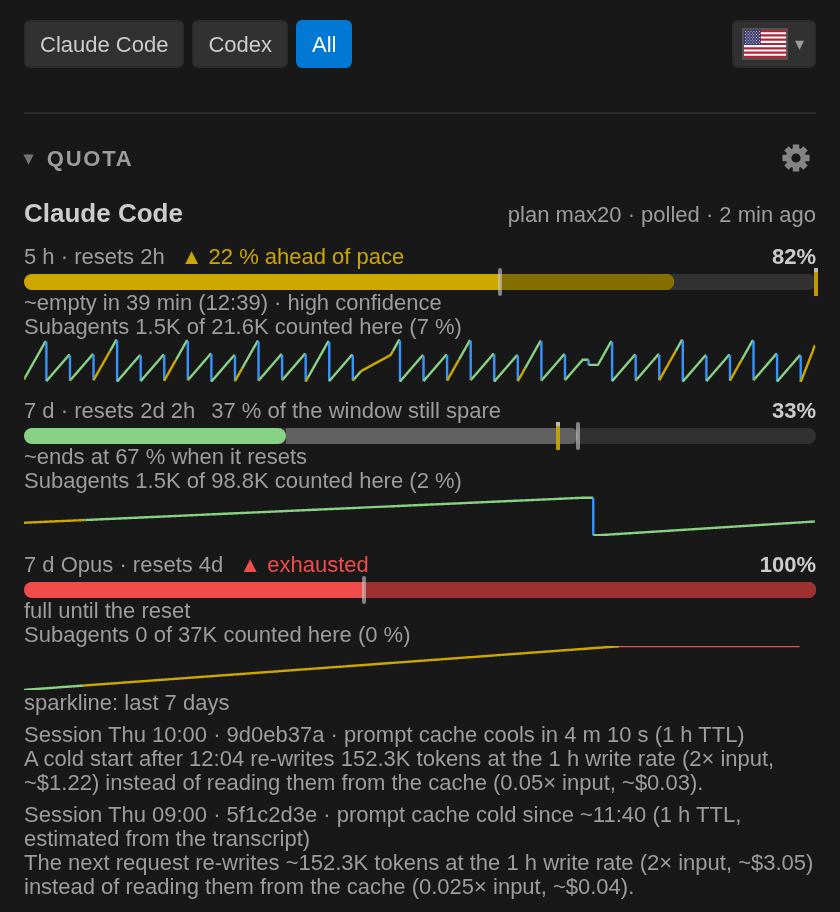
Tokens, cost and cache economy
The two running windows against the fixed periods, the composition bars with a cache switch, and what the cache saved. Cost is the API equivalent from a price table you can inspect, marked as a lower bound whenever a model has no price on file.
Nothing leaves your machine unless you say so.
Token Pace reads the session files Claude Code and Codex already keep locally and the quota figures their own clients cache. It sends no telemetry and opens no connection by itself. The one outbound request, a poll of your quota, runs only after your consent, and a build check fails if any other file or host is added.
A missing figure is shown as a dash, never as 0 %. Every estimate is marked as one.
- Read
- Claude Code's and Codex's local session folders, the two quota cache files, the extension's own mirror files, the settings that say whether the status-line bridge is installed.
- Never read
- Your prompts' contents beyond what the token counts need, an agent's description or prompt, a workflow's script or result.
- Sent
- Nothing, unless you enable the quota poll: then your access token goes to
api.anthropic.comand nowhere else. - Exported
- Only by your command: markdown report, CSV, JSON, a diagnostics report you can read before you share it.
A flag at the top of the dashboard switches everything.
The status bar, the dashboard, the tooltip, the reports and the settings' descriptions follow the language you pick, or VS Code's own.
Three ways in, one extension.
Visual Studio Marketplace
Search for Token Pace in the Extensions view, or install from the store page.
ext install frederik.token-paceOpen the MarketplaceOpen VSX
The same extension for VSCodium and every editor that uses that registry.
frederik/token-paceOpen Open VSXFrom the .vsix
Download the release file from GitHub and install it with Extensions: Install from VSIX….
VS Code 1.106 or newerReleases on GitHub